Download Toshiba PT10S UMA MB REV:2.1 Boardview File Free
In the fast-paced world of electronics repair, having access to the right tools and files can be the difference between a successful fix and a wasted motherboard. If you’re searching for a free download of the Toshiba PT10S UMA MB REV:2.1 boardview file, you’re in the right place.
At FixLap.top, we’re dedicated to empowering technicians and electronics enthusiasts by providing high-quality resources that help reduce e-waste, save money, and extend the lifespan of laptops.
Why You Need the Toshiba PT10S UMA MB REV:2.1 Boardview File
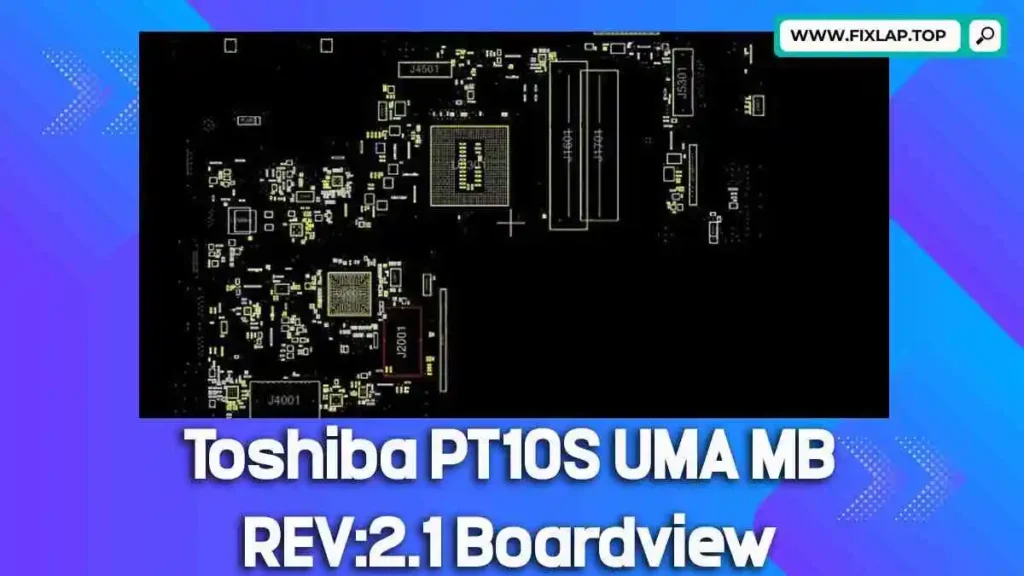
Boardview files are essential for diagnosing and repairing laptop motherboards. They act as blueprints, showing you component positions, signal paths, and test points. For the Toshiba Satellite C55-A-1MW PT10S UMA MB REV:2.1, this file is critical for anyone looking to:
- Troubleshoot motherboard faults
- Locate components quickly
- Test connections accurately
- Repair water-damaged or short-circuited boards
Without the boardview file, even experienced technicians are left guessing.
What Is a Boardview File?
Boardview files are digital diagrams of a PCB (Printed Circuit Board). They contain detailed information about:
- Components (capacitors, resistors, ICs, etc.)
- Pin numbers and identifiers
- Signal lines
- Test points
- Connectivity and netlist info
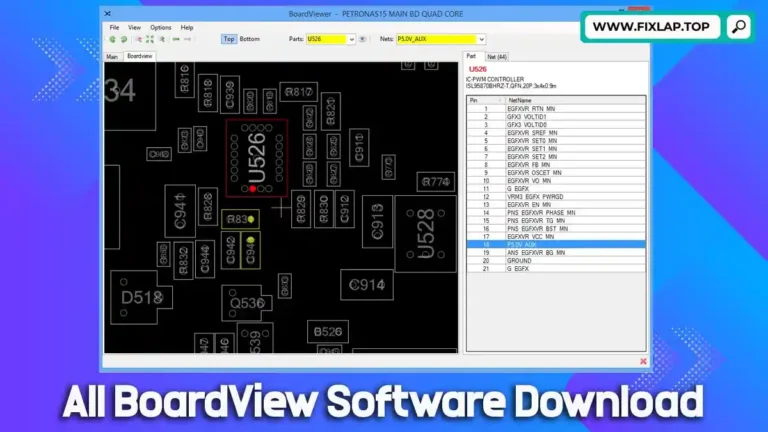
These files come in various formats like .brd, .bdv, .fz, and more. To open and read them, you’ll need BoardViewer software, a free tool available online.
Download Toshiba PT10S UMA MB REV:2.1 Boardview File Free
We believe knowledge and repair tools should be free. That’s why we’ve made the Toshiba PT10S UMA MB REV:2.1 boardview file available without any registration or paywalls.
This file can be opened with most common boardview readers and will help you visualize the internal layout of the motherboard instantly.
Benefits of Using Boardview Files
Using boardview files like this one can drastically improve your repair success rate:
✅ Save Time – Quickly locate faulty components and test points
✅ Increase Accuracy – Avoid errors from blind diagnosis
✅ Reduce Waste – Repair rather than replace
✅ Save Money – No need for trial-and-error part swapping
Whether you’re a professional technician or a DIY enthusiast, a boardview file is your best assistant.
How to Use the Boardview File
- Download and Install a BoardViewer Tool
BoardView - Download the .BRD or .BDV file (linked above)
- Open the File in BoardViewer
You’ll instantly see the component map, which you can search, zoom, and analyze. - Begin Diagnosis and Repair
Match real-world measurements with the map to identify faults.
Why We Provide Boardview Files for Free
The repair industry is plagued by expensive part replacement strategies and increasing e-waste. Our mission is to help people:
- Extend the life of their devices
- Save money on unnecessary replacements
- Learn and grow in the repair community
By offering resources like schematics and boardview files, we promote sustainability and self-reliance.
“Revive, repair, and reuse” is more than a motto—it’s a movement.
What Else Can You Find on FixLap.top?
At FixLap.top, we offer:
- Free Laptop Schematics – Essential for advanced repairs
- Boardview Files – For brands like Dell, HP, Lenovo, Acer, Asus, and Toshiba
- BIOS Collections – To fix boot loops and black screens
- Guides and Tutorials – Learn how to use boardview tools and repair smarter
We’re constantly updating our database, so make sure to bookmark the site!
Final Words
By using the Toshiba PT10S UMA MB REV:2.1 boardview file, you’re not just fixing a laptop—you’re contributing to a more sustainable tech ecosystem. With the right tools, every technician becomes a force for positive change.