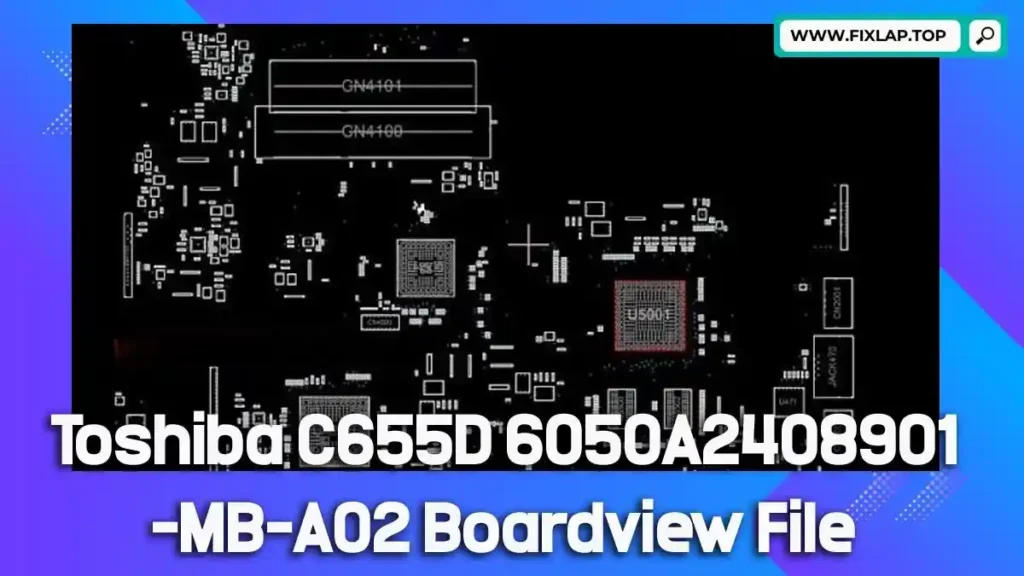
Download Toshiba C655D 6050A2408901-MB-A02 Boardview File Free
If you’re dealing with a non-functional Toshiba C655D and need technical insights to bring it back to life, this guide is for you. We’re offering the Toshiba C655D 6050A2408901-MB-A02 boardview file for free, helping laptop repair professionals and enthusiasts make accurate repairs and avoid unnecessary motherboard replacements. In line with our mission to reduce e-waste and support the global repair community, we provide critical resources like boardview and schematic files—completely free of charge.
What Is a Boardview File?
A boardview file is a technical diagram that shows the internal layout of a motherboard. It includes detailed information about:
- Components and their exact positions
- Electrical connections and signal paths
- Test points for diagnostics
- Traces and nets across the board
These files are vital for diagnosing faults and performing precise repairs, especially when combined with a schematic diagram.
Common Boardview File Extensions
Depending on the manufacturer or software, boardview files can come in several formats:
.brd.bdv.fz.asc.cad.gr.f2b.cst
Each of these requires compatible software to open and navigate. One of the most popular tools for this purpose is BoardViewer.
What Is BoardViewer and Why You Need It
BoardViewer is an open-source tool used to view various boardview file formats. It’s simple to use and designed to help you quickly locate components, trace signals, and analyze faults on a PCB. If you’re working with files like .brd or .bdv, this tool is indispensable.
🔗 Download BoardViewer
Why Boardview and Schematic Files Are Essential for Laptop Repair
Repairing laptops—especially when they’ve suffered water damage or power failure—requires more than just experience. Without schematic and boardview files, finding the source of a fault is like searching for a needle in a haystack.
Benefits of Using Boardview Files:
- Locate components faster
- Understand signal flow across the board
- Minimize guesswork during diagnostics
- Identify faulty paths or damaged circuits
- Reduce repair time and boost efficiency
- Cut costs by avoiding full board replacements
Whether you’re a repair technician or a hobbyist, these files are essential for accurate and efficient troubleshooting.
Download Toshiba C655D 6050A2408901-MB-A02 Boardview File Free
You can now download the Toshiba C655D 6050A2408901-MB-A02 (A03 variant) boardview file directly from our platform. We don’t believe in putting up barriers—no registration, no paywalls, just click and download.
✅ Verified file
✅ No sign-up required
✅ Hosted on Google Drive
📥 Click to Download:
👉 Download Toshiba C655D Boardview File
How to Use the Boardview File
To get the most out of your download, follow these simple steps:
- Download and install BoardViewer software
- Open the file with BoardViewer (usually a
.brdor.bdvextension) - Zoom into the motherboard layout to locate faulty components
- Use in tandem with a schematic PDF (if available) for more context
- Proceed with diagnostics and repair confidently
Conclusion
If you’re working on a Toshiba C655D 6050A2408901-MB-A02 motherboard, this free boardview file can help you speed up repairs and improve diagnostic accuracy. Don’t waste time hunting for files across shady sites—download what you need here, safely and instantly.
💬 Got questions or need help? Reach out via our contact page.