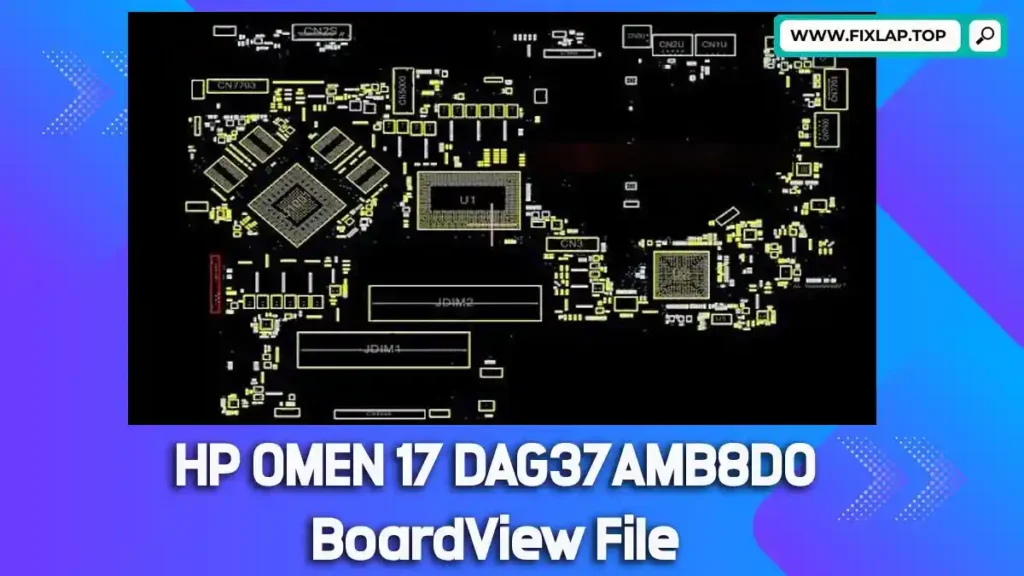
Download HP OMEN 17 DAG37AMB8D0 BoardView File Free
Is your HP OMEN 17 gaming laptop dead, not powering on, or showing signs of hardware failure? Before spending money on a new motherboard, consider fixing it yourself using a boardview file. With the DAG37AMB8D0 boardview, you’ll have a visual blueprint of your motherboard, making component-level repair fast and accurate.
At FixLap, we believe in extending device life and reducing e-waste. That’s why we provide essential tools like schematics, BIOS, and boardview files for free—no registration required.
What is a BoardView File?
A boardview file is a specialized digital map of a motherboard, helping technicians identify component locations, signal lines, voltage rails, and test points. When paired with compatible software, it becomes a powerful tool for laptop repair.
🔍 Supported Boardview File Formats:
.brd,.bdv,.bv,.fz,.asc,.cad,.gr,.cst,.f2b
To open these files, use boardview software like:
Why Use Boardview and Schematics?
Diagnosing a laptop motherboard without a map is like finding a needle in a haystack. Boardview files streamline the process by helping you:
- Locate damaged or shorted components
- Identify faulty power rails or connections
- Cross-reference ICs, MOSFETs, and fuses with real-time layout
- Save hours of manual testing
Whether you’re a beginner or a pro technician, using boardview and schematic files saves time, reduces frustration, and improves success rates.
Download HP OMEN 17 DAG37AMB8D0 BoardView File
You can now download the DAG37AMB8D0 boardview file for your HP OMEN 17 model directly from the link below. It’s fast, safe, and free.
📁 Model: HP OMEN 17
🖥 Motherboard: DAG37AMB8D0
🔗 Download Link:
👉 Click to Download BoardView File
How to Use the BoardView File
Step-by-Step Instructions:
- Download the file using the link above.
- Install a supported boardview viewer software.
- Load the
.brdor similar file into the viewer. - Search for components using part numbers (e.g., PU401, PQ305).
- Troubleshoot by following signal lines and measuring voltages accordingly.
Why We Share These Files
At FixLap, we’re driven by a mission to empower technicians and fight electronic waste. Sharing boardview and schematic files:
- Helps people repair rather than replace
- Supports education and skill-building
- Reduces landfill contributions from e-waste
- Makes technology more accessible and affordable
Related Downloads
If you’re working on other models, check out these useful boardview resources:
- Download Toshiba PT10S UMA MB REV:2.1 Boardview
- Dell Latitude E6540 LA-9411P Boardview File
- Dell Latitude E5450 ZAM70 LA-A901P Boardview File
Conclusion
Don’t give up on your HP OMEN 17 just yet. With the right boardview file and a little guidance, you can repair instead of replace—saving money and the environment.
Need help? Browse our blog, explore more downloads, or contact us directly. We’re here to support your repair journey.